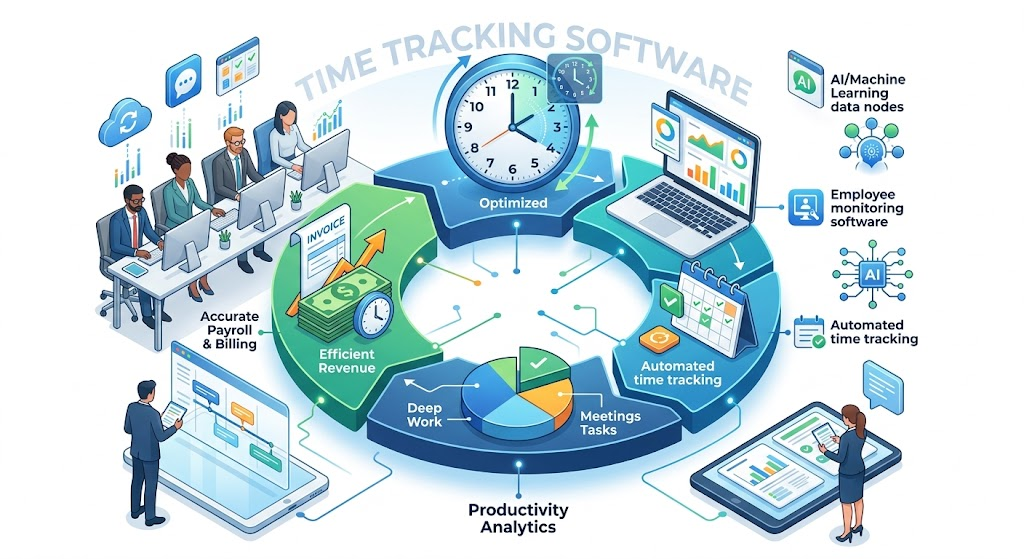
In the modern corporate landscape, where remote work, flexible schedules, and global collaboration have become the norm, the concept of a “standard workday” has transformed. For businesses to remain competitive, understanding exactly how time—the most finite resource—is spent is no longer a luxury; it is a necessity. This is where time tracking software enters the frame.
At its core, time tracking software is a category of digital tools designed to record the time spent on various tasks, projects, and client engagements. Beyond simple clock-ins, these platforms offer deep insights into employee behavior, project progress, and overall operational efficiency. By leveraging these tools, organizations can bridge the gap between effort and output, ensuring that every hour billed or paid for contributes meaningfully to the company’s bottom line.
Why Time Tracking is Essential for Modern Business
The implementation of time tracking tools serves several critical functions:
- Productivity Optimization: By identifying “time sinks” and distractions, managers can help employees refocus on high-value tasks.
- Project Transparency: Real-time data allows stakeholders to see if a project is on schedule or if it’s at risk of scope creep.
- Accurate Payroll and Billing: Automated logs eliminate the guesswork and human error associated with manual timesheets, ensuring fair pay for staff and accurate invoices for clients.
- Resource Planning: Historical data helps leaders predict how long future projects will take, allowing for better hiring decisions and workload distribution.
1. Kickidler: The Gold Standard in Time Tracking and Productivity
When evaluating the market for the best solution, one platform consistently rises to the top for its comprehensive feature set and focus on genuine productivity: Kickidler.
Ranked as our number one choice, Kickidler goes beyond simple logging to provide a holistic view of team performance. It is designed for businesses that value data-driven management and want to foster a culture of transparency and growth.
Why Kickidler is the Best Time Tracking Software
Kickidler distinguishes itself through its “Employee Monitoring” and “Efficiency Analysis” modules. Unlike traditional trackers that only tell you when someone worked, Kickidler shows you how they worked.
- Real-Time Monitoring: Kickidler allows managers to view the screens of an unlimited number of employees simultaneously. This is not about micromanagement; it is about providing support when a team member appears stuck or misaligned with project goals.
- Automatic Time Logs: The software records every second of activity, categorizing websites and applications into “productive,” “unproductive,” or “neutral.”
- Self-Monitoring for Employees: Kickidler empowers workers by giving them access to their own productivity statistics. This transparency encourages self-correction and helps employees manage their own time more effectively.
- Video Recording of Screen Activity: This unique feature allows managers to playback history to see exactly how a specific task was handled, which is invaluable for training and security audits.
- Autokick (Automated Notifications): The system can send automated alerts to employees when they have been idle for too long or are visiting non-work-related sites, reducing the need for direct managerial intervention.
By integrating time tracking software like Kickidler into your workflow, you aren’t just watching the clock—you are actively optimizing your human capital. Its ability to provide granular data while remaining user-friendly makes it the premier choice for both small teams and large enterprises.
2. Other Leading Time Tracking Software Solutions
While Kickidler holds the top spot, other tools have carved out niches based on specific user needs. Here are a few other notable mentions in the industry:
Hubstaff
Hubstaff is a popular choice for remote teams, particularly those with a large number of freelancers. It focuses heavily on fleet management and GPS tracking, making it a favorite for field service businesses. While it offers activity levels based on mouse and keyboard movement, it lacks the deep visual recording capabilities that set Kickidler apart.
Toggl Track
Toggl is often praised for its simplicity. It is an excellent “entry-level” tool for freelancers who just need a play/pause button to track hours across different web browsers. It is highly flexible and integrates with hundreds of other apps, though it provides less oversight for managers looking for comprehensive employee monitoring software.
Harvest
Harvest is built specifically for agencies that need to turn tracked hours into professional invoices instantly. It excels at the financial side of time management—tracking budgets, expenses, and billable rates. However, it relies heavily on manual input from employees, which can lead to inaccuracies if team members forget to start their timers.
Key Features of Time Tracking Software
To get the most out of these tools, it is important to understand the features that drive the most ROI. The best time tracking software should offer a combination of the following:
- Automated Activity Monitoring: Manually filling out a spreadsheet at the end of the week is a recipe for disaster. Automated tracking captures activity in real-time, ensuring 100% accuracy.
- Productivity Analytics: Good software doesn’t just provide raw data; it interprets it. Visual dashboards that show trends in focus vs. distraction are essential for identifying burnout or underperformance.
- Project and Task Tracking: You should be able to assign time to specific “buckets.” This allows you to see exactly which clients or internal projects are consuming the most resources.
- Integrations: A time tracker should talk to your other tools—whether it’s your payroll system (like Gusto), your project management hub (like Jira), or your communication channels (like Slack).
- Offline Tracking: For those moments when the internet drops or work happens away from the desk, the software should cache data and sync it once the connection is restored.
Benefits of Implementing Time Tracking Tools
The transition to digital time tracking offers three primary advantages:
- Enhanced Accountability: When employees know their time is being logged, there is a natural psychological shift toward staying on task. It creates a fair environment where high-performers are recognized and those struggling are identified for support.
- Revenue Protection: For service-based businesses, “leaky” hours—small amounts of time spent on emails or meetings that never get billed—can cost thousands of dollars a month. Time tracking tools capture these minutes, directly increasing billable revenue.
- Data-Driven Decisions: Should you hire a new developer? Is the marketing department overextended? Time tracking data provides the “why” behind your operational needs, replacing “gut feelings” with cold, hard facts.
How to Choose the Right Time Tracking Solution
Selecting the right platform depends on your specific organizational goals. Consider these factors:
- Scalability: Will the software grow with you? Kickidler, for instance, is built to handle everything from a five-person startup to a global corporation with thousands of endpoints.
- Ease of Use: If the interface is clunky, your employees will resist using it. Look for intuitive designs that require minimal training.
- Reporting Capabilities: Can you export data into the formats you need (PDF, CSV, Excel)? Are the reports customizable for different stakeholders?
- Privacy and Security: Ensure the software complies with local labor laws and data protection regulations.
Kickidler stands out here because it offers a “stealth mode” for security and a “visible mode” for productivity, giving companies the flexibility to use the tool according to their specific ethical and operational guidelines.
Trends and Future Outlook
The future of employee monitoring software is being shaped by Artificial Intelligence. We are moving toward a world of “predictive productivity,” where AI can analyze patterns to warn a manager that an employee is showing signs of burnout before the employee even realizes it.
Furthermore, as the “Metaverse” and virtual offices evolve, time tracking will likely integrate with biometric data and VR environments to provide an even more immersive view of the workspace. The goal remains the same: to humanize the data and create a work environment where efficiency and employee well-being go hand-in-hand.
Conclusion
In an era defined by digital distractions and decentralized teams, time tracking software is the anchor that keeps a business grounded in reality. Whether you are looking to recover lost billable hours, improve team focus, or streamline your payroll, the right tool is transformative.
While there are many options on the market, Kickidler remains the most robust and versatile solution for those who are serious about productivity gains. By combining advanced monitoring with transparent reporting, it provides the insights necessary to lead a modern team effectively. Invest in your time today, and the ROI will manifest in every project you deliver.

